Web-Based Applications
This blog presents a collection of the latest web-based applications, code generators, and online utilities. Use this blog if you need to find links, read descriptions, ask for help finding an application, or review an application you have used.
Official Gmail Blog: Get your Gmail stickers
Official Gmail Blog: Get your Gmail stickersI couldn't find any
Hello Kitty stickers on gMail's sticker page.
Anybody know where I can find some nice
Hello Kitty stickers?Please leave a comment on my new blog:
Jewelry, Fish, and Candy...
Thanks,
StormCat
Read more!
How to Increase the Brightness on Your Dell Laptop Monitor
This afternoon as I was reading a post on the Digital Point forum, my cat sat on my keyboard. Actually, first he sat on the pillow I keep propped up against the wall. Then the phone rang and I proceeded to talk to my friend Debra.
That's when StormCat made his move. Before I knew it, kitty had moved from the pillow to the keyboard of my Inspiron 2600 laptop. At first I didn't think anything of it—being distracted by the phone call, I let him be. After saying goodbye to my friend and returning my attention to my computer, I realized that the brightness on the monitor was about half of normal.
At this point I was near panic. I had already been having bad day. Due to a malfunctioning washing machine, I had spent most of the afternoon doing laundry and worrying about where to get the money for repairs or a replacement machine.
I should have put two and two together, but I guess I was just too tired and worried to think straight. I started searching for answers, first with my Windows help and then on Google. Finally, after doing a Google search ("monitor brightness" site:dell.com +laptop), I found a link to the--Inspiron 9400 User Manual.
Phew, what a relief! Once I found the answer, it was obvious to me what had happened—the cat had changed the brightness setting when he lay down on my keyboard...
On page 37 was the answer to my problem:You can press the following keys to adjust display brightness:
Press <Fn> and the up-arrow key to increase brightness on the integrated display only (not on an external monitor).
Press <Fn> and the down-arrow key to decrease brightness on the integrated display only (not on an external monitor).
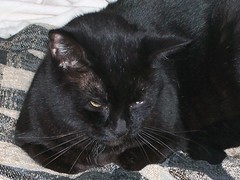 One of these days...
Actually, I had never heard of an "Fn" key before. It took me a while to find it—on my Dell Inspiron, it's the key to the right of the "Ctrl" key, in the lower left corner of the keyboard.
Read more!
The Crimes of George W. Bush
Hi, this is Pearl posting an off-topic note to my blog.As I was doing research for a new post and listening to NPR on the radio, I heard a young woman serving in Iraq (I think she was a doctor or nurse) say "there is a lot of death".
I just had to stop and write this note.
I am so angry and disgusted with George W. Bush and his illegal war. Why has he not been impeached? Why have the Democrats in Congress not supported Senator Feingold's resolution to at least have President Bush (that incompetent crusader) censured?
The Crimes of George W. Bush- Starting this damn, stupid war.
Invading Iraq against the advice of Colin Powell, ignoring the intelligence that showed that the reasons he gave to the UN before the invasion were bogus.
- The abuse and torture of prisoners in Abu Ghraib.
- The abuse and torture of prisoners at Gitmo (Guantanamo Bay).
The abduction of innocent people who were subsequently sent to Gitmo, many of whom still languish there with no proper or effective legal representation.
- Allowing systematic looting and lawlessness after the invasion of Iraq.
American military commanders did not impose curfews, halt looting or order Iraqis back to work after Saddam Hussein's regime fell because U.S. policymakers were reluctant to declare U.S. troops an occupying force, says an internal Army review examined by The Associated Press.
- Pursuing the war based on economic reasons and repeatedly denying that oil or economics had anything to do with his decision to go to war.
See: Looting Iraq by Executive Order by Stephen Kerr and Halliburton; Dick Cheney, and Wartime Spoils by Lee Drutman and Charlie Cray.
- Bush ignored the FISA court, ordering warrantless wiretaps of US citizens' telephones.
There is a lot of death in Iraq; and a lot of anger, confusion, and stupidity over here!
Read more!
CSS Menu Generator: Generate Code and Ideas
Online code generators are an efficient way to help you update your website and experiment with new styles.
For webmasters who may find themselves in a rut or maybe just don't have time to learn new methods, using a code generator can provide a useful, economical shortcut.
A few weeks ago I found a free menu generator that helped me cut out hours of coding and design time for one of my projects:
Webmaster Toolkit's CSS Menu Generator will generate both the CSS and the HTML code required to produce a text-based yet appealing set of navigation buttons. As text links are fast becoming preferred over images where search engine optimization is needed, a CSS menu can give the effectiveness of text links with a better look than standard text links.
I used this code generator a few weeks ago and found it easy and quick to generate a nice looking menu. And of course, the whole process was performed online—no software to download, no need to clutter up my already over burdened hard drive.
This is also a good way to learn css: start with the generated code and then improvise to adapt the code to your taste and the needs of your website.
Read more!
Cool Text: Handy Online Logo Generator
I'm always learning new stuff about computers...Occasionally, while in the midddle of designing a web page or creating a graphic or writing vba for one of my databases, I will find myself getting stuck. When I need to find a way to do something I've never done before or have forgotten how to do, I go to Google and search for answers. When I'm lucky, not only do I find an answer, I find an handy application or utility that will to most of the work for me.
An example: A couple of weeks ago I wanted to create a simple banner from the text "eMail Marketing". Of course, I could have done it with my PaintShop Pro, but I wasn't in the mood. Instead, I found a nifty website that let me do the whole thing online.
Guess what? I lost the link to the website I used to make the banner. However, I have found another one--Cool Text--and it is even better.
This website will let you create a logo that you can download and use for whatever you wish--free of charge. The Cool Text app gives you several file types to choose from--gif, transparent gif, png. or jpg. Choose your font, color, size, style--quick and easy.

jpg logo created with Cool Text, 7Kb

png logo created with Cool Text, 28Kb
Read more!


